
Lilt - Offline Music Player
nashmi joEntertainment
4.889.00 Reviews
- Version
- 1.0.9
- Installs
- 100.00K
- Age Rating
- Everyone
Screenshots
Our Review of Lilt - Offline Music Player
 Analysis by Appyee
I like music apps that understand when simplicity is the point. Lilt is an entertainment app built around listening to audio stored locally on an Android device, rather than pushing me toward an online catalog, social feed, or subscription. That narrow purpose gives it a clear identity: I open it when I want to play my own files with as little distraction as possible.
After spending time with the app, my overall impression is that its value comes less from a long feature list and more from the way it keeps the listening task focused. The developer is nashmi jo, and the app is free with an Everyone content rating. Its current version is 1.0.9, and it works on Android 8.0 or later, which makes it accessible to people using older supported phones as well as newer devices.
The short name, Lilt, is easy to remember, but the important thing is the workflow behind it. This is not the right choice if I want a service that supplies music, recommends artists, or synchronizes a large collection across several platforms. It makes more sense for someone who already has audio files and wants a straightforward way to listen to them.
Why local audio changes the listening experience
The central capability is offline music playback from audio saved on the phone. That sounds basic, but it changes the entire relationship I have with the app. There is no need to wait for a stream to start, depend on a mobile connection, or use an online search to find something I already own. My library begins with the files available on the device.
That approach is especially useful for music I cannot easily find in mainstream streaming services. Personal recordings, downloaded files, independent releases, old mixes, language-learning audio, and albums copied from another device all fit naturally into a local player. Instead of treating those files as an afterthought, Lilt makes them the reason to open the app.
I also appreciate the mental difference between a local player and a streaming service. Streaming apps are excellent when I want discovery, but they often surround playback with recommendations, playlists, artwork, accounts, and changing availability. Lilt is more direct. I am not browsing a catalog; I am listening to material that is already mine or already stored on the phone.
That focus can make short listening sessions feel easier. If I have a few albums for a commute, a folder of downloaded shows, or a set of instrumental tracks for work, I do not have to turn the session into a search exercise. The app’s role is simply to get local audio playing and keep the experience clear.
What local playback is good at
The strongest benefit is independence from a live connection. I can use locally stored audio in places where streaming is inconvenient, such as during travel, in areas with unreliable reception, or when I want to avoid spending mobile data. The files still need to be on the device, of course, but once they are there, playback does not depend on an online music library.
There is another practical advantage: local listening gives me more control over what remains available. A streaming catalog can change, while a file saved on my phone stays available unless I move or delete it. For a small collection of important albums or personal audio, that predictability matters more than an enormous catalog.
At the same time, I would not confuse offline playback with automatic access to every kind of audio. Lilt is useful because of the files I bring to it. Someone starting with an empty phone and expecting the app to provide music will probably find the experience limited. The app is a player, not a replacement for obtaining or organizing the audio itself.
How I would use it in practice
The most sensible starting point is to keep the audio I want on the device, then open Lilt and use it as the listening layer. I would begin with a small, intentional collection instead of copying every file I own. That makes the local library easier to understand and reduces the chance of spending more time sorting than listening.
A useful habit is to prepare audio before leaving home. For example, I might select a few albums for a long journey, check that they are stored locally, and then use Lilt during the trip. This is less glamorous than pressing play on a streaming service, but it is dependable. It also avoids the unpleasant surprise of discovering that a supposedly available track was never downloaded.
For people who keep different kinds of audio on one phone, organization becomes important. I would separate music from spoken recordings and temporary files before relying on the app heavily. A tidy folder structure makes a local player feel much more convenient, while a crowded storage location can make any simple player feel confusing.
One non-obvious trade-off is that the app’s simplicity shifts responsibility to the user. With a streaming service, search and editorial organization do much of the work. With Lilt, I need to know where my files are and keep them sensibly arranged. That is not a flaw for everyone; it is the price of having a library based on local ownership rather than an online account.
A realistic everyday scenario
Imagine I am taking a train through an area where reception comes and goes. I have saved several albums and a few long recordings on my phone before leaving. A streaming app might pause, lower quality, or require advance preparation inside its own system. With Lilt, I can stay with the local files and avoid making the journey depend on signal strength.
The same pattern works for a person who keeps a carefully selected collection for concentration. Rather than opening a service and being tempted by new recommendations, I can choose a familiar set of tracks stored on the device. That makes the app suitable for a focused routine: start the local player, choose the planned audio, and return attention to the task.
It can also help someone who has audio that is not part of a commercial catalog. A family recording, a self-produced track, or a legally obtained release from a small creator may be more useful in a local player than in an app designed around mainstream discovery. Lilt’s value becomes clearer when the listener’s collection is personal rather than standardized.
Where it differs from the usual alternatives
Compared with a streaming music service, Lilt offers less discovery but more direct control over offline files. Streaming is the better option when I want to search across a large catalog, follow recommendations, or move between a broad range of artists without managing storage. Lilt is better when I already know what I want to hear and want the playback process to stay local.
Compared with a feature-heavy music player, its appeal is restraint. Advanced players may offer extensive equalizer controls, elaborate tagging tools, visual themes, or many playback adjustments. Those options can be valuable for enthusiasts, but they can also make a quick listening session feel overbuilt. Lilt’s straightforward identity is more attractive to someone who does not want to configure an audio workstation.
There is also a difference from the basic player that may already be installed on a phone. A built-in player can be perfectly adequate, but Lilt gives people a dedicated alternative when they want a separate place for local listening. Whether that is worthwhile depends on the experience of the existing player. If the phone’s default tool already handles the collection comfortably, switching may not bring a dramatic change.
That is an important point in my assessment: the app’s advantage is situational. It is not automatically superior to every other player. Its strongest case is for listeners who want a clean, purpose-built home for local audio and do not need the broader ecosystem offered by streaming platforms.
The friction I would consider first
The biggest limitation is inherent in the local approach: Lilt cannot make missing audio appear. I still need to obtain files through legitimate means, transfer them to the device, and keep enough storage available. Anyone who wants instant access to a vast catalog will be happier with a streaming service.
Managing changes to a local collection can also take effort. If I move files between folders, rename them, or replace them with new versions, I may need to keep my organization consistent so that the library remains easy to navigate. This is manageable for a modest collection, but it becomes less attractive for someone who constantly adds and rearranges large numbers of tracks.
Offline playback is not the same as cross-device synchronization. A file stored on one phone does not automatically become available on another device simply because I use the same app there. For listeners who expect seamless movement between phone, tablet, computer, and other hardware, a cloud-based service may be a better fit.
I would also avoid choosing Lilt solely because it is free. The absence of a purchase cost makes it easy to try, but the real question is whether my listening habits match a local player. If I spend most of my time discovering unfamiliar music online, the free price will not compensate for the narrower purpose.
Small habits that make the app more useful
My first tip is to build a travel folder before a trip rather than relying on last-minute copying. Keeping a compact selection of albums or recordings in one predictable place makes offline listening less stressful. It also helps me notice early if a file is missing or if the phone does not have enough room.
My second tip is to treat local storage as part of the listening setup. I would remove duplicate files and avoid keeping several versions of the same recording unless I genuinely need them. This reduces clutter and makes the collection feel intentional, which is particularly important in an app whose usefulness depends on finding personal files quickly.
A third useful approach is to separate “keep permanently” audio from “listen temporarily” audio. Permanent albums can stay in the main collection, while short-term recordings can be stored apart and removed after use. This prevents a local library from becoming a dumping ground for files I no longer need.
Finally, I would use the app as a focused tool rather than expecting it to replace every music habit. Lilt works well alongside a streaming service: one can handle exploration and broad access, while the other handles personal, downloaded, or unusual audio. That combination makes more sense to me than forcing one app to do both jobs.
Who gets the most from Lilt
Lilt is a strong match for listeners who already keep audio files on an Android phone and want a clear way to play them without relying on a connection. It is also appealing to people who value privacy in the everyday sense of keeping their listening collection on the device rather than making every session part of an online service.
It may suit travelers, commuters, students with recorded material, collectors of independent releases, and anyone who keeps a small personal library. The Everyone rating also makes it approachable for a broad audience, although the usefulness still depends on the listener having suitable local files ready.
The app has attracted an average rating of 4.8 from around 2.4 thousand ratings, with over 100 thousand installs. Those figures suggest that its uncomplicated idea resonates with many users, but they do not change the central buying decision: this is valuable when local audio is the priority, not when a large online catalog is the priority.
I would tell a friend to skip it if they mainly want algorithmic recommendations, synchronized libraries, or immediate access to music they have not already saved. A streaming platform, a more advanced player, or the phone’s existing audio tool could be a better choice in those cases. Lilt is most convincing when the friend says, “I already have the files; I just want to listen without complications.”
My final take after using the local-first approach
What I like about Lilt is that it does not pretend local audio needs to be more complicated than it is. The app’s identity is easy to understand, and the free entry point makes trying it low-risk. Its 2026 release and current 1.0.9 version place it in an early stage, so I see it as a focused tool rather than a mature all-purpose music ecosystem.
The honest recommendation is simple: choose it for reliable, distraction-light listening to audio already stored on your Android device. Do not choose it as a source of new music or as a replacement for cloud synchronization. Once I accept that boundary, the app becomes more useful because I am judging it by the job it actually sets out to do.
For my own routine, that job is worthwhile. When I have prepared a local collection and want to listen without searching, streaming, or depending on reception, Lilt gets out of the way. That is not a universal advantage, but for the right listener, the local-first design is the feature that makes the app worth keeping.
Verdict
Strengths of Lilt - Offline Music Player
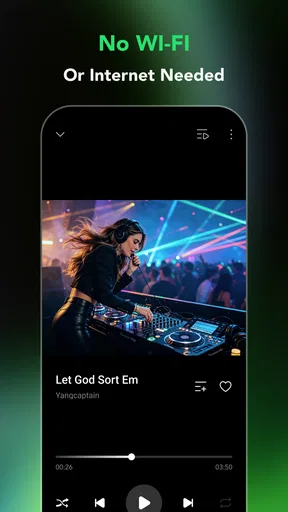
- Plays downloaded music without an internet connection
- Supports background playback while using other apps
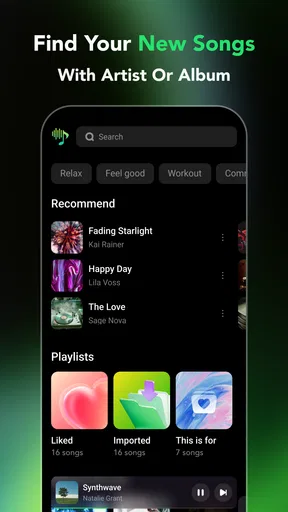
- Simple interface makes albums and playlists easy to browse
- Keeps music listening private without requiring an account
- Useful for saving mobile data during everyday listening
Limitations of Lilt - Offline Music Player
- You must provide your own music files; it does not stream songs
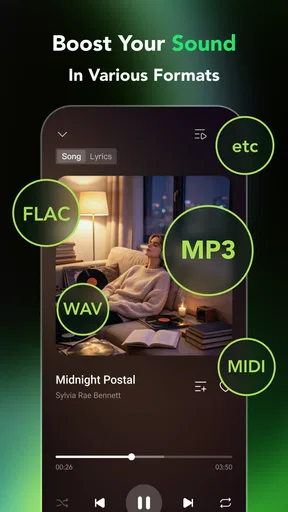
- Some advanced audio formats may not play correctly
- Limited discovery features compared with streaming services
- Music organization depends on accurate file tags and artwork
- Offline library management can feel basic for large collections
Similar Picks in This Category
View All
Google Play Games
Google LLC3.9

Netflix
Netflix, Inc.4.8

YouTube Kids
Google LLC4.2

Disney+
Disney4.4

Prime Video
Amazon Mobile LLC4.7

Steam
Valve Corporation3.2
Frequently Asked Questions
What is Lilt - Offline Music Player, and how does it work?
Lilt - Offline Music Player is designed for listening to music stored directly on your Android or iOS device, without depending on a constant internet connection. After adding compatible audio files to the app or making them available through its supported file locations, you can browse your library, create playlists, and play tracks offline. It is intended for personal music collections rather than online streaming.
Can I use Lilt without an internet connection?
Yes. Offline playback is the main reason many users choose Lilt. Once your music files are stored locally and recognized by the application, songs can generally be played without mobile data or Wi-Fi. Internet access may still be required for optional functions such as downloading files from another service, synchronizing content, displaying online artwork, or accessing external links, depending on your device and the app version.
What audio formats and music sources does Lilt support?
Support can vary according to the operating system and the version of Lilt installed, so it is worth checking the current store description before downloading. The app is primarily intended for locally available music files rather than music protected by streaming-service restrictions. Files must usually be accessible to the application, and DRM-protected tracks or unsupported formats may not appear in the library or play correctly.
Does Lilt include playlists, search, playback controls, or background listening?
Lilt focuses on the essentials of a personal music player, including browsing a local collection and controlling playback. Depending on the release, users may also find playlist management, track search, album or artist organization, repeat and shuffle modes, queue controls, and background playback. Features can differ between platforms, so review the latest screenshots and permissions before relying on a specific function.
Is Lilt - Offline Music Player free, and does it require special permissions?
The download price and available features may differ between Android and iOS, and some versions can include optional purchases, advertising, or platform-specific limitations. To function properly, Lilt may request access to music files or media storage so it can scan and play your collection. Before installing, check the official store listing for pricing, privacy details, supported devices, and the exact permissions requested.
